Load firmware to your Teensy via WebHID. How to flash:
- Open TŒRN and connect it (or the Teensy directly) via USB to this computer so it is powered on.
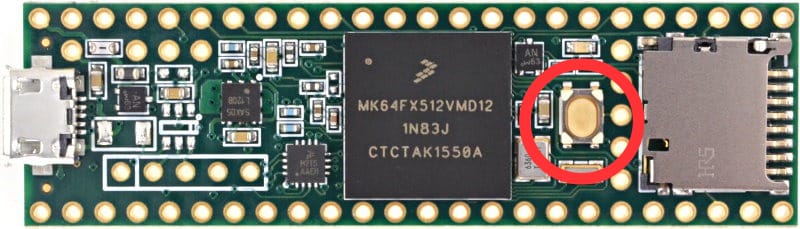
- Press the reset button (marked red). The small LED on the Teensy lights up red — it is now in programming mode.
- Select the firmware you want to flash (v2.2 or Beta).
- Press Select Teensy Device, choose Teensy in the list (it may show as “Unknown device”), then press Connect.
- Press Upload Firmware. The Teensy LED flashes brighter a few times.
- After a successful flash, TŒRN reboots automatically.
1. Firmware
Choose which firmware version to flash.
Careful: this is a beta and might introduce troubles, including losing data or settings of your unit. Use at your own risk.
2. Device & Flash
With the Teensy in programming mode (red LED on), select the device, then upload.